One session per account
Truly separate cookies, login and cache. Each account stays signed in its own corner — no Chrome profile for each one.
Leave it farming.
We keep watch.
All your idle and crypto game accounts in a single window, each with its own login, running 24 hours without the browser putting the tab to sleep. Dropped? IdleDeck tries to get it back and lets you know.
Free · Windows 10 and 11 · installation verified by Microsoft
One window, as many accounts as the game allows.
Minimized or in the tray, the farming goes on.
Dropped? The app tries to get back and calls you.
// INSIDE THE APP
Real IdleDeck screens, with two demo games in place of yours. Click the tabs to look around.
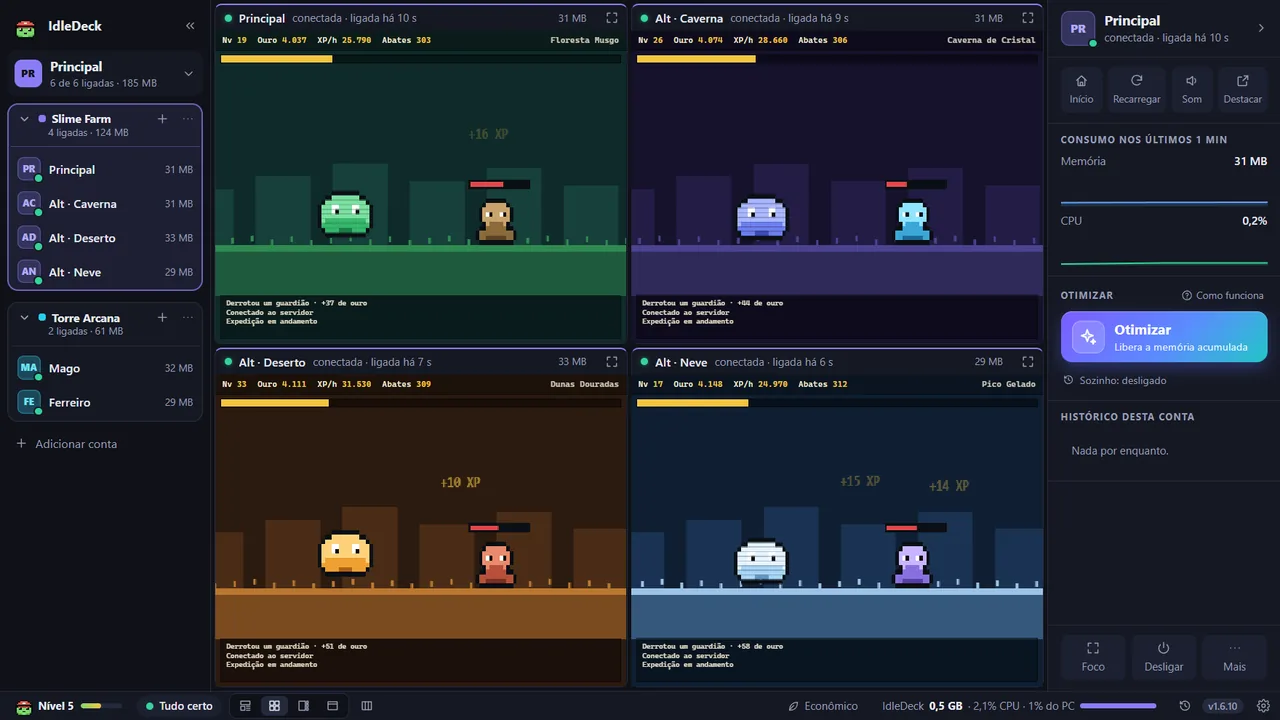
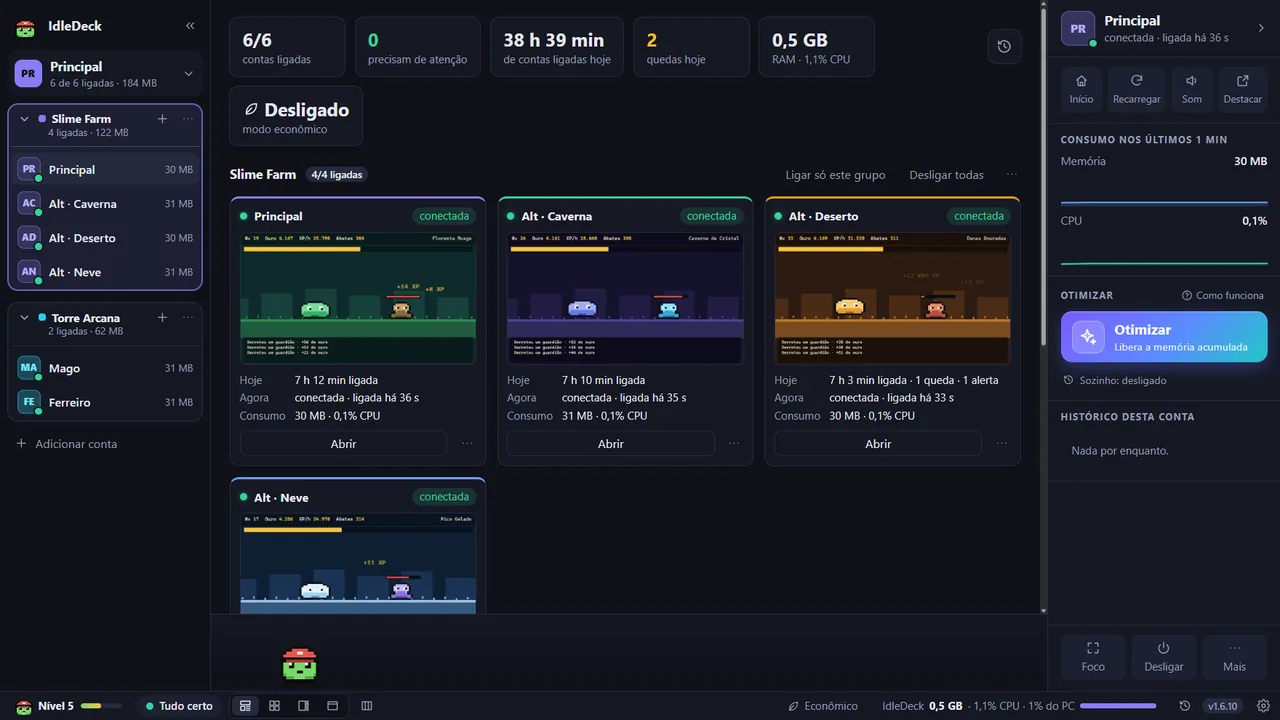
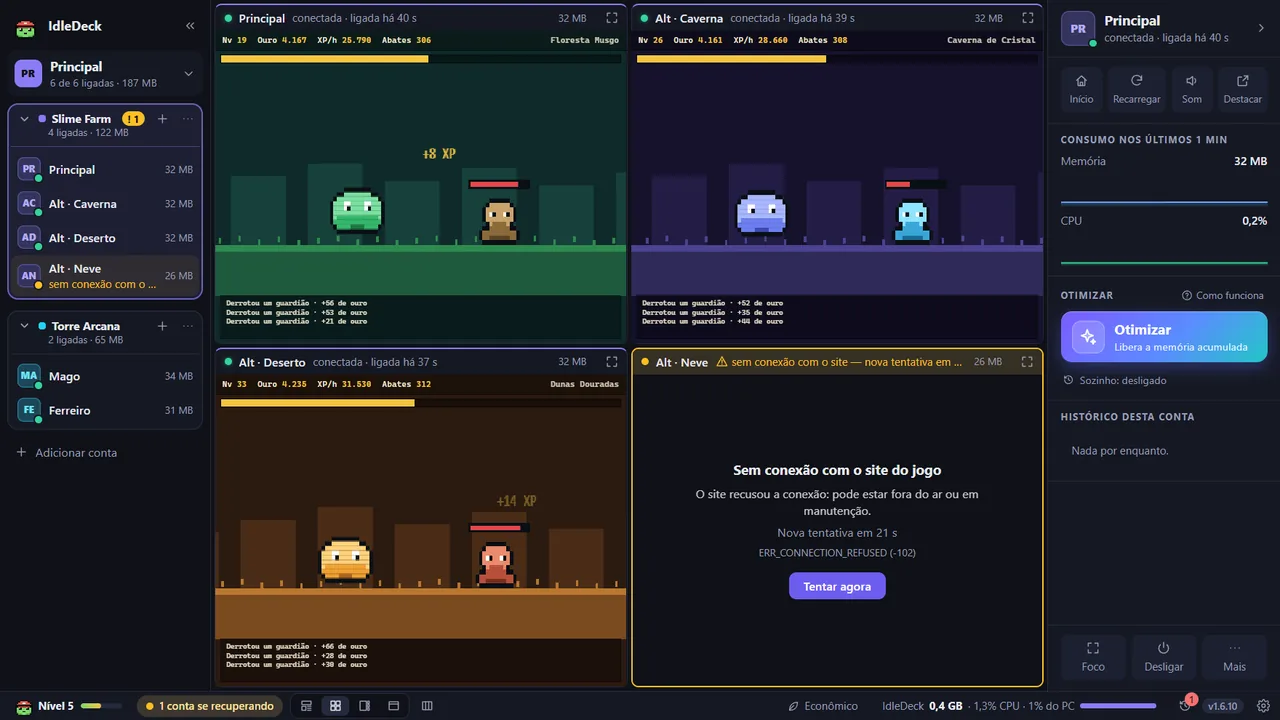
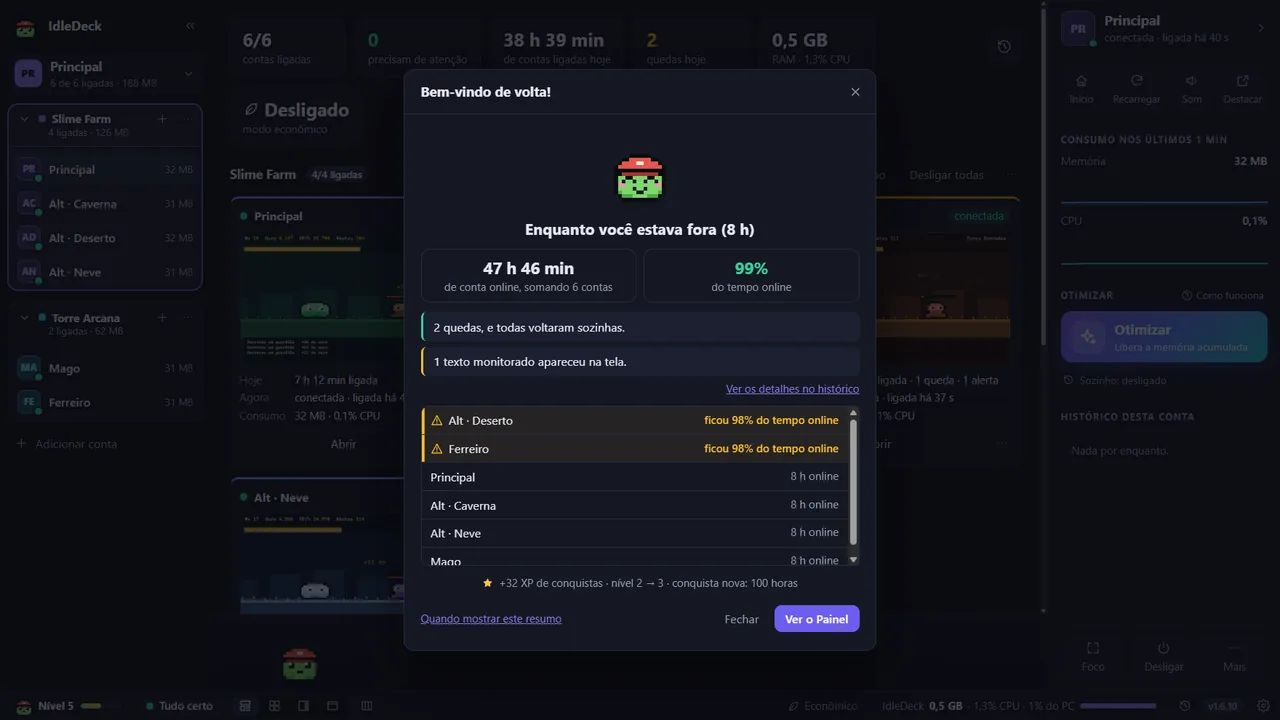
// SKILL TREE
Every skill came from real use: keeping things running, spotting problems early and not wasting time logging back in.
Truly separate cookies, login and cache. Each account stays signed in its own corner — no Chrome profile for each one.
A regular browser puts background tabs to sleep. Here your accounts keep going at 100% with the window minimized, covered or in the tray.
"Open" is not "connected". The app notices a dropped connection, a site that's down, a frozen page and no internet — and reloads without you asking.
Windows notification, sound, taskbar badge and a Discord or Telegram alert to reach your phone when an account needs attention.
Split by game or by team. "Switch to this group" stops the others and starts this one — to rotate without going over the game's account limit.
Grid, one main account with thumbnails, focus on a single one, or the Dashboard with resource usage and history. You can even send an account to another monitor.
Each account's email and password encrypted only on your PC, with an optional master password. Logged out? "Fill in login" — without submitting anything for you.
Add a word (like "verification") and the app alerts you when it shows up on an account's screen. It only looks, never touches.
From the Microsoft Store, the Store itself updates it. From the site's .exe, the app downloads the new version on its own and checks the digital signature before installing.
// SECURITY
IdleDeck isn't a cloud service: it's a program that runs on your computer. Your game accounts, your logins and everything that happens in them stay with you — our server never even sees them.
only you have access
just the minimum for your account to exist
✕Never goes through our server: game accounts, cookies, passwords, wallets or anything shown on the game screens.
The computer is linked through your browser, with you signed in to the site. The app keeps only its own encrypted code.
No Google Analytics and no trackers. Reports, suggestions and feedback only leave when you write them and click send.
Pop-ups, new tabs and downloads only with a click from you. Programs downloaded by a page (.exe and the like) are always blocked.
Unlink any computer from your account on the site. The app's data lives in a folder of yours, and you're the one who deletes it.
All of this is written down, in detail, in the privacy policy.
// HOUSE RULES
Many idle games with a real economy forbid automation. IdleDeck was designed to help without putting your accounts at risk.
// STARTER QUESTS
From download to your first group running, about five minutes.
Installer for Windows 10 and 11. No administrator permission needed.
reward: IdleDeck on your PCThe app shows a code and opens the site. Sign in (or create the account), confirm the code and you're done — the site password never goes through the app.
reward: app unlockedEach one signs in in its own space. Set up the groups, pick the layout and leave it running.
reward: 24/7 farming// SHOP
// PARTNER
TopIdle is the Brazilian ranking of browser idle games, built from the votes of the people who play them — and the count restarts every month. It's where lots of people discover new games, and every vote helps your game climb.
 IdleDeck partner
On TopIdle you'll find:
// QUICK GUIDE
Yes. Every feature is free, with no account limit and no time limit, and we don't ask for a card.
To link the app to your sign-up: that's how we know how many people use IdleDeck and can offer new things later. It takes a minute, asks for no card, and the site account has nothing to do with your game accounts.
Everything runs on your computer. Game sessions, vault logins and history stay in a folder of yours, encrypted by Windows. Our server only knows your site account, an anonymous code for each linked computer, the app version and whether it's open (so we can count how many people are using the app right now and how long each account uses it). Game accounts, cookies and passwords never go through it.
No, and that's on purpose. It doesn't click, has no macros, doesn't solve verifications and uses no proxy or VPN. It organizes, keeps things running, watches and alerts. All accounts go out from your IP: respecting each game's account limit is still up to you — the app warns you when you get close to the limit the game publishes.
Yes. The same site account links several computers, and you can unlink any of them from your account.
It's the same IdleDeck, free in both. The "Download" button installs through the Microsoft Store: you get a small installer, made and signed by Microsoft, that installs the app through the Store — Windows shows no warning and the Store takes care of updates. The site's .exe updates itself, through the app. If you already use one of them, there's no need to switch.
With the .exe downloaded straight from the site, yes: it doesn't have a code signing certificate yet (it's expensive for a new project), so SmartScreen warns that the publisher is unknown. Click "More info" and "Run anyway" — and, to check that the file is ours, compare the SHA-256 shown at the end of this page. Through the Microsoft Store that warning doesn't appear.
It works with any game that runs in the browser, including those with a player market and crypto withdrawals, like Pokéidle.io. IdleDeck never touches your wallet or your balance: it only keeps the pages open, organized and awake. Before opening several accounts, read each game's rules on number of accounts, IP and automation.
Yes. Pokéidle.io only hunts while the tab is open, and that's what IdleDeck guarantees: each account in its own space, awake even with the window minimized or in the tray, and an alert when one drops. The game already shows up in the list when you add an account.
Install, link your account, add your game logins and go to sleep. If you don't like it, just uninstall.
Windows 10 and 11 · Microsoft Store: installation verified by Microsoft and updates through the Store